ENLIGHTEN's plug-in architecture is designed to allow end-users to write simple Python modules that can be dynamically loaded by ENLIGHTEN and run directly during spectral processing. This allows users to manipulate spectra any way they wish, including seeing their processed spectra appear on the graph alongside (or instead of) ENLIGHTEN's own.
Python is a powerful data-processing language, and plug-ins are free to use popular mathematical libraries and frameworks, including Numpy, Pandas, SciPy and Tensorflow. In fact, Pandas dataframes may be output and displayed directly on the ENLIGHTEN GUI.
Quick Start
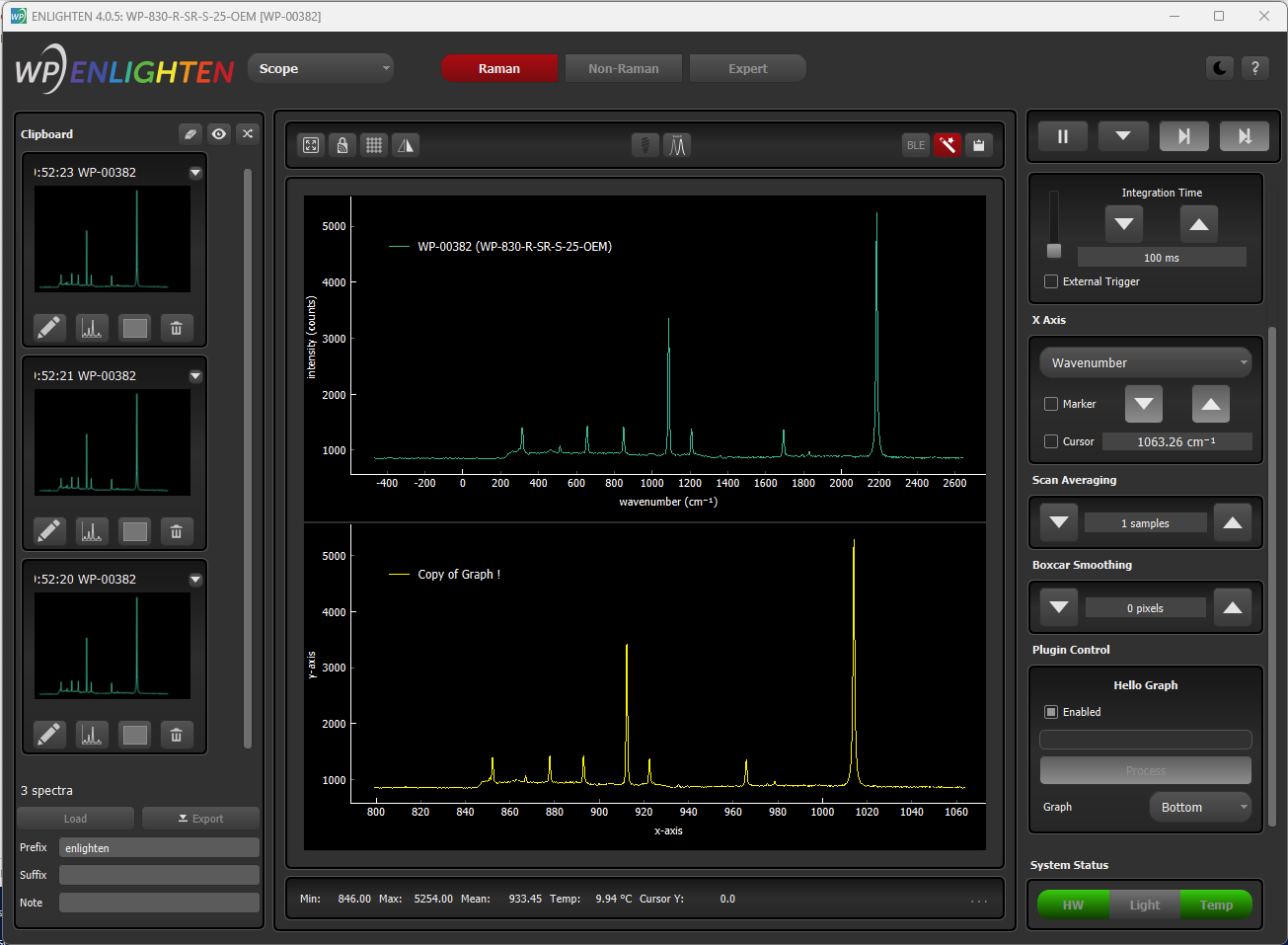
Advanced use
See EnlightenPlugin.py for more information about these functions and parameters.
inline parameters
- self.name
- self.streaming
- self.is_blocking
- self.blocks_enlighten
- self.has_other_graph
- self.table
- self.x_axis_label
- self.y_axis_label
API functions
- field
- get_widget_from_name
- plot
helper functions
- get_axis
- to_pixel
- wavelength_to_pixel
- wavenumber_to_pixel
- area_under_curve
More Information
There are two sides to our plug-in architecture:
- "external" (for ENLIGHTEN users and plug-in authors)
- "internal" (for ENLIGHTEN developers and maintainers)
External
Classes of interest to plug-in authors are in the EnlightenPlugin module, especially:
EnlightenPlugin is a single Python file stored in plugins in the source distribution, and installed to EnlightenSpectra/plugins on Windows.
Internal
The internal plug-in architecture is implemented in the enlighten.Plugins namespace, especially:
- enlighten.Plugins.PluginController.PluginController
- enlighten.Plugins.PluginWorker.PluginWorker
- enlighten.Plugins.PluginModuleInfo.PluginModuleInfo
- enlighten.Plugins.PluginFieldWidget.PluginFieldWidget
- enlighten.Plugins.PluginGraphSeries.PluginGraphSeries
- enlighten.Plugins.PluginValidator.PluginValidator
- enlighten.Plugins.TableModel.TableModel
Some of the external symbols are now handled internally.
- EnlightenPlugin.EnlightenPluginConfiguration
- EnlightenPlugin.EnlightenPluginField
- EnlightenPlugin.EnlightenPluginRequest
- EnlightenPlugin.EnlightenPluginResponse
Backlog
Documentation
- ENLIGHTEN Plugin Developer's Guide
- ENLIGHTEN Plugin Cookbook ("I'd like to...")
- add a new series to the main graph
- add a new series on the secondary graph
- modify the standard graph series on-screen
- modify the standard graph series such that it is saved to disk and clipboard
- save spectra in a custom format
- load spectra from a custom format
- send spectra to another program
- send spectra to another program for processing, then display the result in ENLIGHTEN
- process the spectrum in R
- ...?
Desired Plugins
- Measurements.DataManager
- merge a bunch of individual CSV into a single export file
- split an export file into individual CSV
- convert existing files (for instance between row/column CSV, JCAMP-DX, GRAMS SPC etc)
- extract columns from existing export (e.g., "just Processed columns where label is Acetaminophen")
- Network.SaveToCloud
- Network.QueryCloud
Desired Plugin Features
- should probably let the "Save" button save measurements graphed on the Plugin "other graph" (.csv and thumbnails), and let thumbnails be added as traces
- for every graph series (not on other_graph), add "[x] (color) name"
R
It would be nice to use rpy2 to be able to run R functions directly, rather than "shelling-out". We should be able to generate a sample rpy2 plugin NOW, since:
- we're now 64-bit native (yay)
- rpy2 now supports Python 3.9 and 3.10
Generated by
 1.13.2